
Sample banner to show where potential messaging would go in case of announcements or important information.
Sample banner to show where potential messaging would go in case of announcements or important information.
If your patient is having trouble affording an AstraZeneca medication, AZ&Me may be able to help.
If the patient or legally authorized representative (LAR) is physically present to provide consent, you can apply online.
If a patient or LAR is not present in the office, they can fill out and fax the application or you may direct them to apply online at www.azandme.com.
Before starting the application and requesting to enroll a patient in the program, make sure you have the following:
For more information on what you need before getting started and what to expect after submitting the application, please see Applying to the Program. You will be notified whether or not your patient is eligible.
For enrolled patients, you can:
For patients that are successfully enrolled into the AZ&Me program, a new prescription is needed for the enrolled medication. Prescribers can submit the prescription directly to our pharmacy via one of the following methods:

To ensure timely processing, please make sure that the patient’s name on the prescription matches exactly what was on their AZ&Me application.
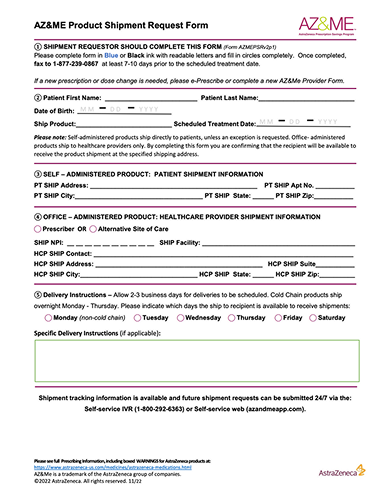
for a form description
For HCPs to request the next refill for a cold chain product
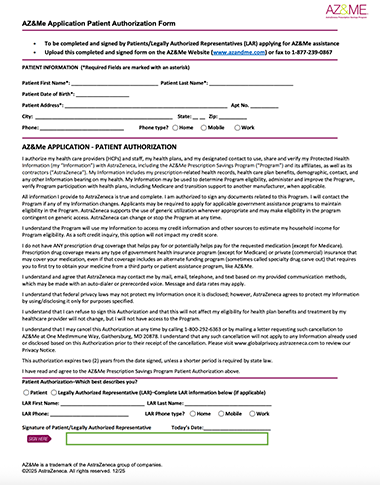
for a form description
For patients and their Legally Authorized Representatives (LARs) to provide program consent needed to facilitate the application/enrollment process
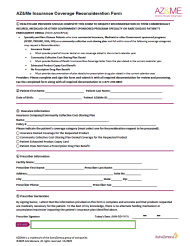
for a form description
For Specialty and Rare Disease HCPs to request a re-evaluation of a Specialty and Rare Disease patient's eligibility when the patient has been denied due to their insurance status. Must be signed by the prescriber and submitted with supporting documentation
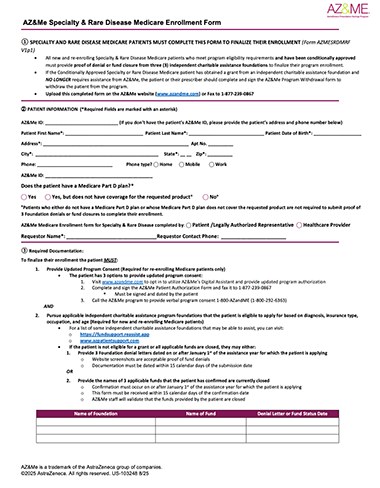
for a form description
For new and re-enrolling Specialty and Rare Disease Medicare patients, Legally Authorized Representatives (LARs), and HCPs when providing required documentation to finalize the patient's Conditionally Approved enrollment. The form is required and must be submitted with applicable supporting documentation
for a form description
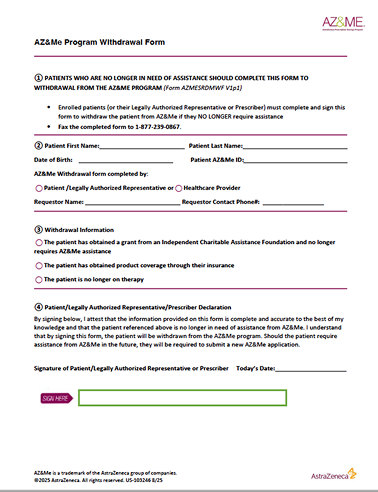
For patients, Legally Authorized Representatives (LARs), and HCPs to discontinue a patient's enrollment when AZ&Me support is no longer needed

Healthcare Providers User Guide
This user guide is for Healthcare Providers (HCPs) using the AZ&Me website. It offers clear, step-by-step instructions for registering, signing in, navigating Patient lists and dashboards, sorting and filtering Patients, and performing actions to support each Patient’s application.
Home Page Overview
Information on the navigation bar and where to find resources for both Patients and Healthcare Providers.
Healthcare Provider Registration/Sign In
Learn how HCPs can register and sign in to the AZ&Me website.
Healthcare Provider Online AZ&Me Application
Learn how HCPs can help patients submit their AZ&Me application online.
Healthcare Provider Patient List & Dashboard
Learn how HCPs can sort and filter their Patient List and locate actions needed on the Patient dashboard.
Healthcare Provider Document Upload
Learn how HCPs can upload documents to the AZ&Me Website for a specific Patient.
Healthcare Provider Refill Management
Learn how HCPs can manage refills for their patients.
Home Page Overview
Information on the navigation bar and where to find resources for both Patients and Healthcare Providers.
Healthcare Provider Online AZ&Me Application
Learn how HCPs can help patients submit their AZ&Me application online
Healthcare Provider Document Upload
Learn how HCPs can upload documents to the AZ&Me Website for a specific Patient.
Healthcare Provider Registration/Sign In
Learn how HCPs can register and sign in to the AZ&Me website.
Healthcare Provider Patient List & Dashboard
Learn how HCPs can sort and filter their Patient List and locate actions needed on the Patient dashboard.
Healthcare Provider Refill Management
Learn how HCPs can manage refills for their patients.


You may report side effects related to AstraZeneca products  .
.
©2026 AstraZeneca. All rights reserved. US-94004; US-99057; US-103769; US-106756; US-112368; US-114412 Last Updated 9/26


